How to Transplant Mt. diablo phacelia?
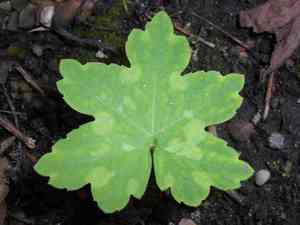
Mt. diablo phacelia flourishes when relocated during the energetic period of early to mid-spring, benefiting from ideal growing circumstances. Choose a bright spot with soil that drains effectively to guarantee proper rooting. Refrain from moving the plant during unfavorable weather for improved outcomes.
What Preparations are Needed Before Transplanting Mt. Diablo Phacelia?
What is the Ideal Time for Transplanting Mt. Diablo Phacelia?
The best time for relocating mt. diablo phacelia is during early to mid-spring, when the ground warms up and the danger of frost has passed. Moving it at this time allows the plant to develop strong roots before the intense summer heat. This period offers mt. diablo phacelia the most favorable conditions for development and boosts its chances of flourishing.
How Much Space Should You Leave Between Mt. Diablo Phacelia Plants?
When transplanting mt. diablo phacelia, aim for a spacing of 6-12 inches (15-30 cm) between each plant. This provides sufficient room for growth and ensures good air circulation, which helps prevent diseases.
What is the Best Soil Mix for Mt. Diablo Phacelia Transplanting?
Prepare soil that drains well, ideally a sandy or loamy mixture, enriched with organic compost. A balanced base fertilizer, such as a 10-10-10 (NPK) formula, will supply essential nutrients for mt. diablo phacelia's development.
Where Should You Relocate Your Mt. Diablo Phacelia?
Mt. diablo phacelia thrives in full sun to partial shade. Select a spot that receives at least 6 hours of direct sunlight daily to ensure healthy growth and vibrant blooms.
What Equipments Should You Prepare Before Transplantation Mt. Diablo Phacelia?
Gardening Gloves
To protect your hands while handling soil and plants.
Hand Trowel
To dig small holes and lift the plant from its original container or ground.
Shovel or Spade
For excavating larger holes in the ground where the plant will be moved.
Watering Can or Hose
To hydrate the plant before and after its relocation.
Plant Label
To mark the plant's new position or provide additional details.
How Do You Remove Mt. Diablo Phacelia from the Soil?
How Do You Remove Mt. Diablo Phacelia from the Soil?
From Ground: First, water the mt. diablo phacelia plant to moisten the soil. Then, dig a wide trench around the plant using a shovel or spade, ensuring the plant's root ball remains intact. Carefully work the spade under the root ball to lift the plant from its original location.From Pot: Water the mt. diablo phacelia plant thoroughly, then gently tap the sides and bottom of the pot to loosen the soil. Hold the base of the plant and carefully slide it out of the pot. If the plant is root-bound, gently tease apart the roots before transplanting.From Seedling Tray: Water the seedlings to moisten the soil. Use a hand trowel or your fingers to gently lift each plant from the tray, ensuring the roots are not damaged. Handle seedlings by the leaves, not the stem, to avoid causing damage.
Step-by-Step Guide for Transplanting Mt. Diablo Phacelia
Site Preparation
Prepare the new planting site by clearing away any debris, weeds, or rocks. Dig a hole large enough to comfortably fit the root ball of the mt. diablo phacelia plant, ensuring the hole is deep enough for the plant to sit at its original growing depth.
Transplanting
Place the mt. diablo phacelia plant into the prepared hole. Backfill the hole with soil, gently pressing down to eliminate air pockets. Ensure the plant stands upright and the soil level is even with the surrounding ground.
Watering
Water the mt. diablo phacelia plant thoroughly after transplanting to help settle the soil around the roots and provide the plant with essential moisture.
Mulching
Apply a layer of mulch around the base of the mt. diablo phacelia plant to help retain soil moisture and suppress weed growth. Be sure to keep the mulch a few inches away from the stem to prevent rot.
How Do You Care For Mt. Diablo Phacelia After Transplanting?
Watering
Keep the soil around the mt. diablo phacelia consistently moist, but not waterlogged, for the initial weeks after transplanting to aid in root establishment.
Monitoring
Observe for any wilting or signs of stress, and water as necessary. If the plant shows signs of distress, consider providing temporary shade or wind protection until it recovers.
Pruning
Remove any damaged or dead leaves to encourage new growth and reduce stress on the plant.
Weed Control
Regularly inspect the area around the mt. diablo phacelia for weeds and remove them to lessen competition for nutrients and water.
Troubleshooting Common Issues with Mt. Diablo Phacelia Transplantation.
When should I transplant mt. diablo phacelia?
Relocate mt. diablo phacelia in early to mid-spring for optimal results and robust growth.
How should I space mt. diablo phacelia after transplanting?
Space mt. diablo phacelia 6-12 inches (15-30 cm) apart to ensure ideal growth conditions.
What preparation does the soil need?
Ensure well-draining soil rich in organic matter for healthy growth of mt. diablo phacelia.
What if mt. diablo phacelia wilts after transplanting?
Ensure adequate watering and avoid direct sunlight until mt. diablo phacelia is established.
How deep should I plant mt. diablo phacelia?
Plant mt. diablo phacelia at the same depth it was growing previously to prevent stress.
Do I need to fertilize mt. diablo phacelia after transplanting?
Use a balanced, diluted fertilizer a few weeks after transplanting mt. diablo phacelia.
Should I water mt. diablo phacelia immediately after transplanting?
Yes, water mt. diablo phacelia thoroughly immediately after transplanting to help it settle in.
How can I prevent transplant shock in mt. diablo phacelia?
Acclimate mt. diablo phacelia gradually to outdoor conditions before transplanting to reduce shock.
What if mt. diablo phacelia shows yellow leaves post-transplant?
Ensure proper watering without overwatering and check for nutrient deficiencies.
How much sunlight does mt. diablo phacelia need post-transplant?
Mt. diablo phacelia needs partial to full sunlight; avoid excessive direct sun initially.